
Sidebar
projectzomboid:projectzomboid
This is an old revision of the document!
Table of Contents
Project Zomboid
CRAZY's Project Zomboid Server
Preparing the Game
Connecting to CRAZY's Server require setting launch parameters, if launching from Steam, and downloading and placing Mods into the correct folder.1)
Steps
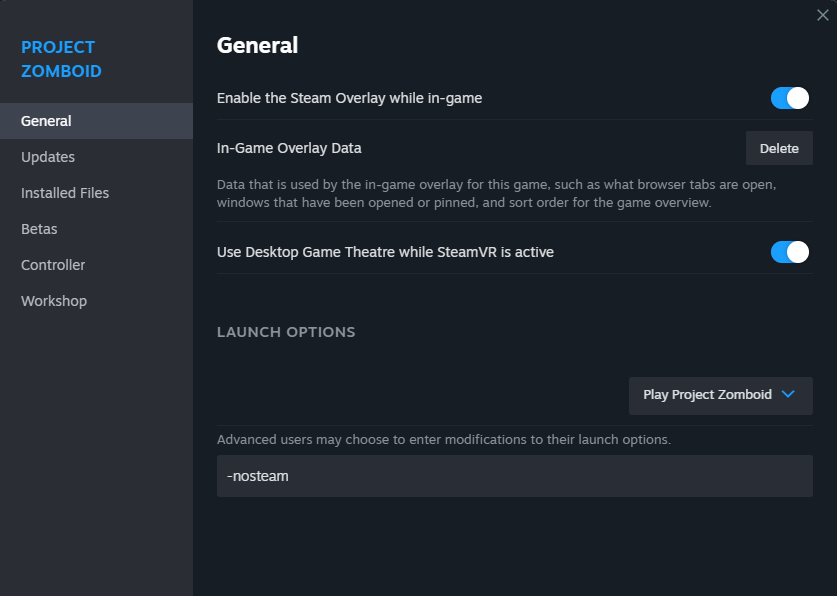
- Right Click on your game in the Steam Library and choose Properties
- In the Launch Options text field enter
-nosteam
Mod Installation
Download the Mod Pack: Mods
- Extract zip to Mods folder
- Windows = C:\Users\$USER\Zomboid\mods2)
- Linux = $HOME/Zomboid/
Connecting
projectzomboid/projectzomboid.1698871720.txt.gz · Last modified: 2023/11/01 16:48 by admin
Except where otherwise noted, content on this wiki is licensed under the following license: CC Attribution-Noncommercial-Share Alike 4.0 International


